Skip to content

SplatPilot

Turn your scene into a Gaussian splat without leaving Blender

  • Blender 5.3 or newer
  • Windows and Linux
  • Trains on your GPU (Vulkan)
  • GPL-3.0-or-later
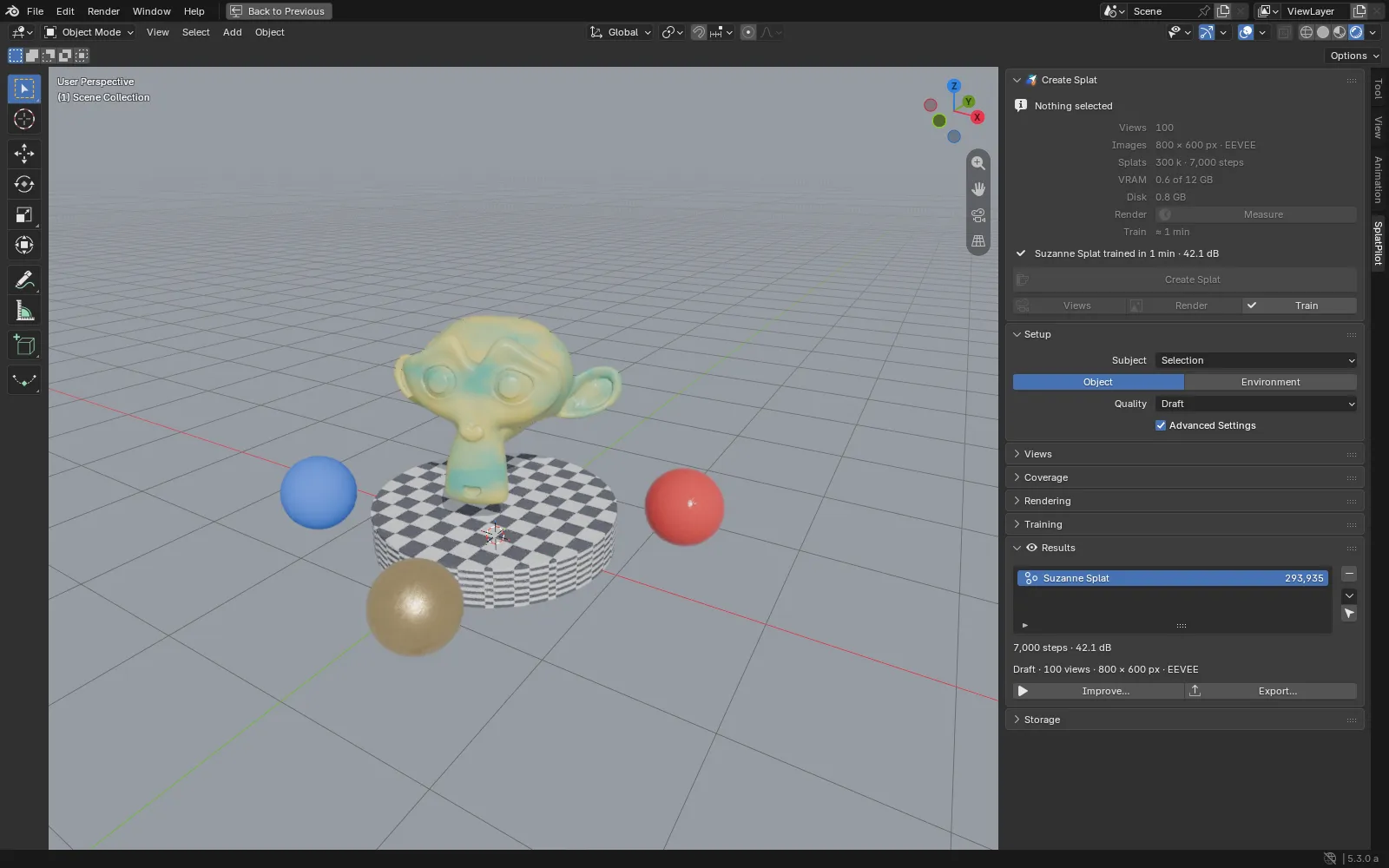
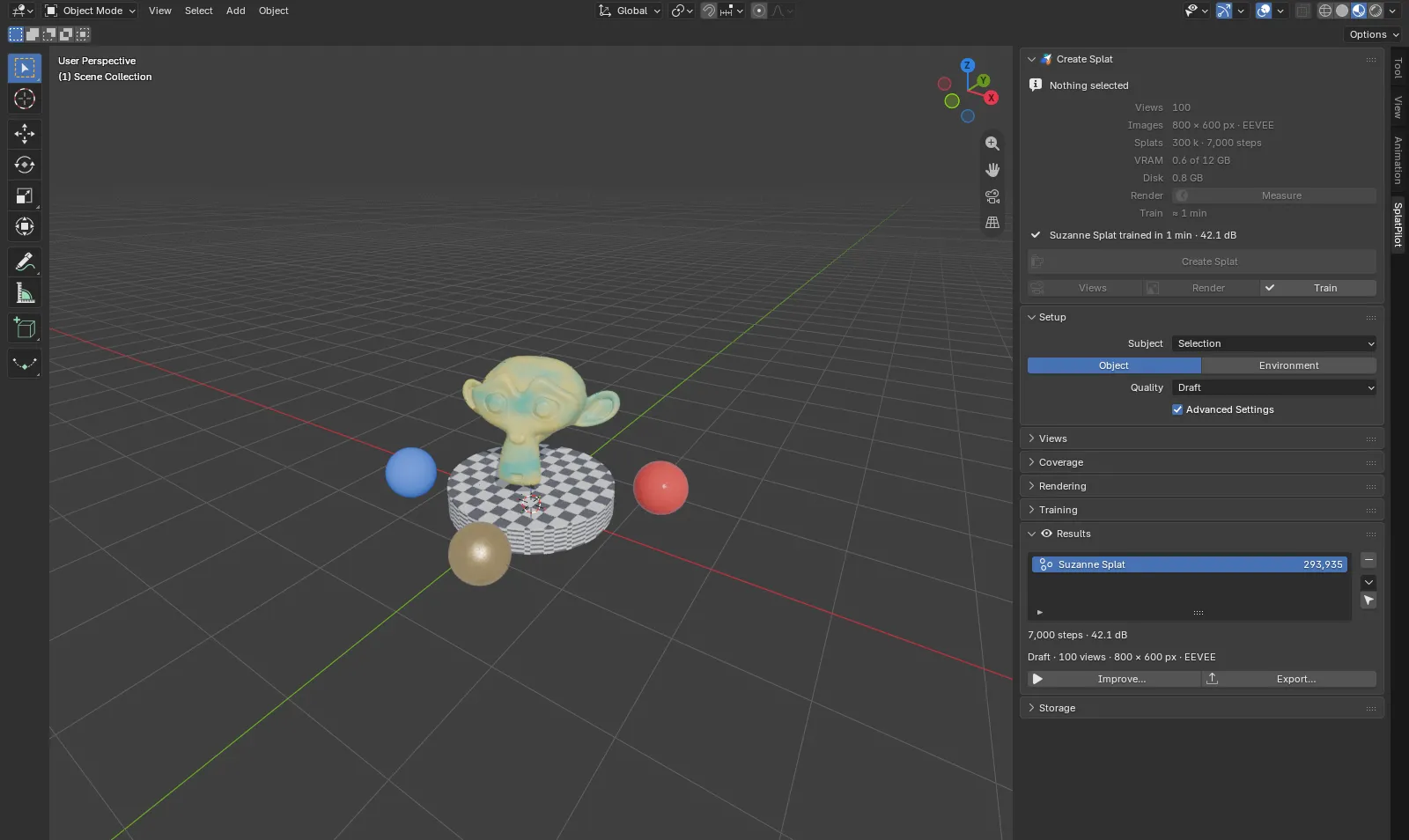
Blender with a trained Gaussian splat in the 3D viewport and the SplatPilot tab open in the sidebar.
A finished splat in the viewport, with the SplatPilot tab in the sidebar.

Select, click, keep working

SplatPilot does the whole job inside Blender: it places views of your subject, renders them in the background, trains a splat on your graphics card and puts the finished splat in your scene.

One button

Select an object, a collection or the whole scene and click Create Splat. SplatPilot picks where the views go, how many to render and how long to train.

Trains on your GPU

The training engine ships with the extension and runs on your graphics card through Vulkan, in its own process. There is no other program to install.

A native Blender splat

The result is a Blender 5.3 Gaussian splat object in a Splats collection: move it, render it, mark it as an asset, export it as PLY. One Ctrl+Z takes it back.

Views that fit the subject

Objects are seen from all around; rooms and buildings from where a person would stand. Or build your own camera rigs, or use the cameras you already have.

An estimate first

Before you start, the panel shows the views, image size, splat count, GPU memory, disk space and time. One click measures how long your scene takes to render.

Your scene stays yours

Rendering and training run in the background with a live preview. Your settings, selection and viewports stay as they were. Pause, resume, stop or train further later.

How it works

Four steps, all of them automatic. Each one keeps what it made, so changing a training setting does not render again.
From scene to splat in four stepsSplatPilot places views around or inside your subject, renders them with Cycles or EEVEE in the background, trains a splat on your GPU with a live preview, and puts the result in your scene as a native Blender 5.3 splat object.1ViewsAround or insideyour subject2RenderCycles or EEVEE,in the background3TrainOn your GPU, witha live preview4Splat in your sceneA native Blender 5.3splat objectFrom scene to splat in four stepsSplatPilot places views around or inside your subject, renders them with Cycles or EEVEE in the background, trains a splat on your GPU with a live preview, and puts the result in your scene as a native Blender 5.3 splat object.1ViewsAround or insideyour subject2RenderCycles or EEVEE,in the background3TrainOn your GPU, witha live preview4Splat in your sceneA native Blender 5.3splat object
From scene to splat: views, rendering, training, and a splat object in your scene.
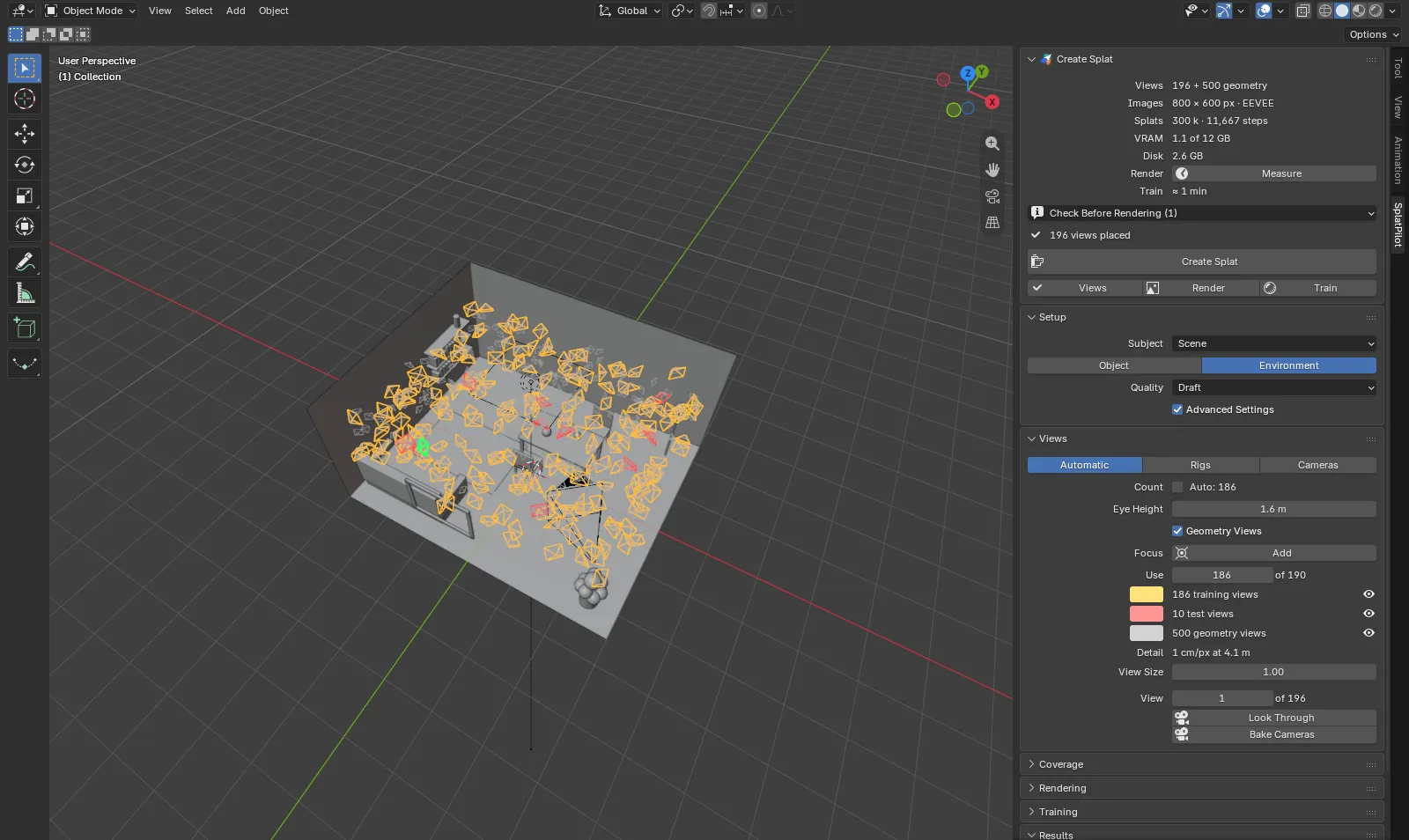
A room in the Blender viewport with training views in amber, test views in red and geometry views in grey, and their counts in SplatPilot's Views panel.
In a room, views stand where a person would and look around. The Coverage panel says how well they cover it.
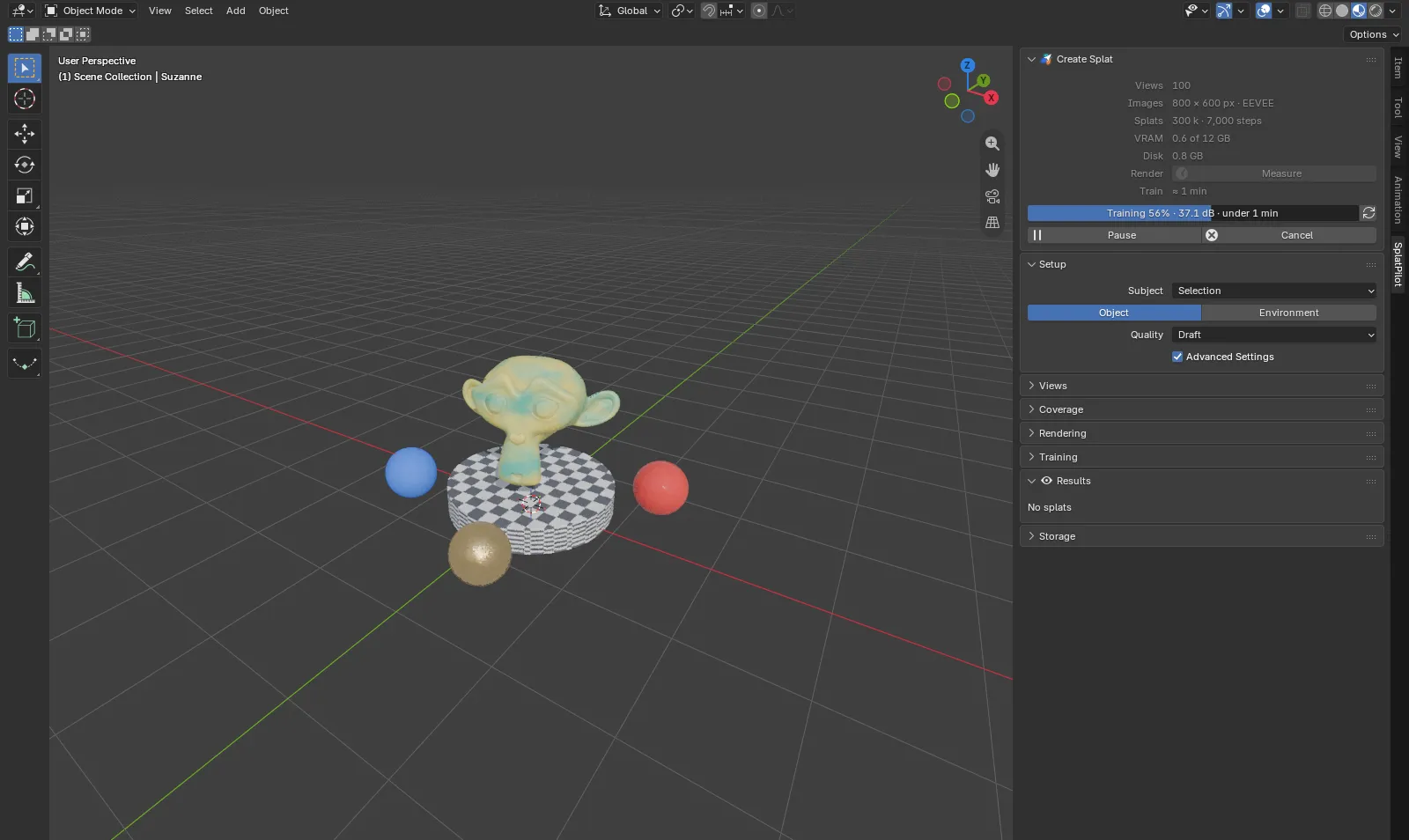
The SplatPilot panel during training with a progress bar, the score in dB and the time left, while the viewport shows the splat so far.
While it trains, a preview of the splat refreshes in the viewport.
A finished splat in the viewport and the Results panel listing it with its splat count, steps and score.
The Results panel lists every splat with its score, and trains it further on request.

Get going